 EN
EN Español
 Deutsch
 Italiano
 Português
Design in 3D
Dimensions, modules, roof shape and covering. Drag the handles or type the dimensions straight onto the drawing.
Nexus Shade is the solar shading editor built into Endades Nexus: you design pergolas and awnings in 3D with your manufacturer's catalogue, the bill of materials and the price are recalculated as you draw, and the pergola goes into the quote as just another line, with its cuts and machining ready for production.
Available now as an optional module of Endades Nexus Pro and Infinity. 21-step guided demo over real screenshots.
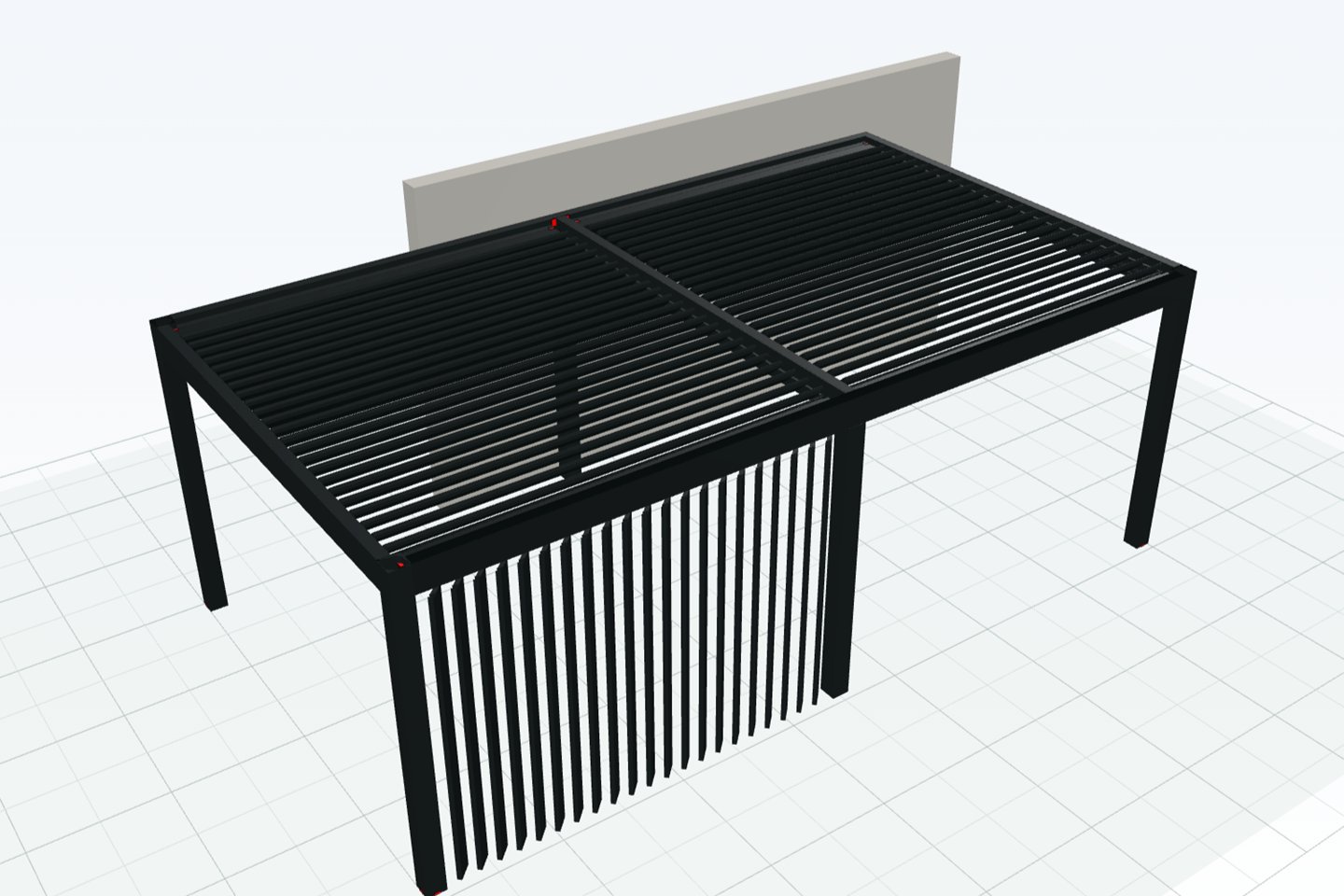
Every pergola or awning starts as a line in the sales document and reaches the workshop without re-keying anything. This is what the demo walks through.
Dimensions, modules, roof shape and covering. Drag the handles or type the dimensions straight onto the drawing.
The editor applies the manufacturer's maximums, fits the projection to the louvre pitch and warns you before something can't be manufactured.
Every change recalculates materials, cuts, machining and the total, using the document's price list.
The line goes into the quote already priced and, when you send it to production, you get one frame per module with its bars sent to the optimiser.
For pergola and awning manufacturers and installers, and for window fabricators who want to sell them in the same quote as their windows.
Bioclimatic with adjustable louvres, fabric, solid-roof, mixed or open. Wall-mounted or freestanding, with one module or several coupled together.
Folding-arm, drop-arm, vertical and sliding, each with its own brackets, drive and fabric.
Flat or sloped, mono-pitch, gable, hipped or arched. The covering is divided into sections.
Windows and sliding doors from the Nexus window configurator, vertical louvres, screens or fixed panels.
LED lighting, sensors and controls housed in their beam, post or louvre, plus packs with their own price per module or per document.
Porch, carport, louvred screen, canopy, gazebo, covered walkway or terrace enclosure. Only the ones the system can actually build are offered.
Nothing is hard-coded into the software: each system is set up once and, from then on, the editor designs, builds the bill of materials and prices with that system's own rules.
Articles by role (post, beam, louvre, gutter, fabric, motor…), rules with conditions and formulas, and machining per part. What you see in 3D is drawn with the lengths and cuts from the bill of materials.
Maximum width and projection, overhangs, supports and louvre pitches. The editor allows any combination that can be manufactured and blocks only what won't hold up.
From the bill of materials with the document's price list, from a width × projection table imported from Excel with its surcharges, or a mix of both. When the price list changes, the line is repriced like any other.
One frame per pergola module and per awning, bars sent to the cutting optimiser and the machining set in the design, on the work order and on the cutting sheets.
No mock-ups: this is Nexus Shade quoting a double bioclimatic pergola.
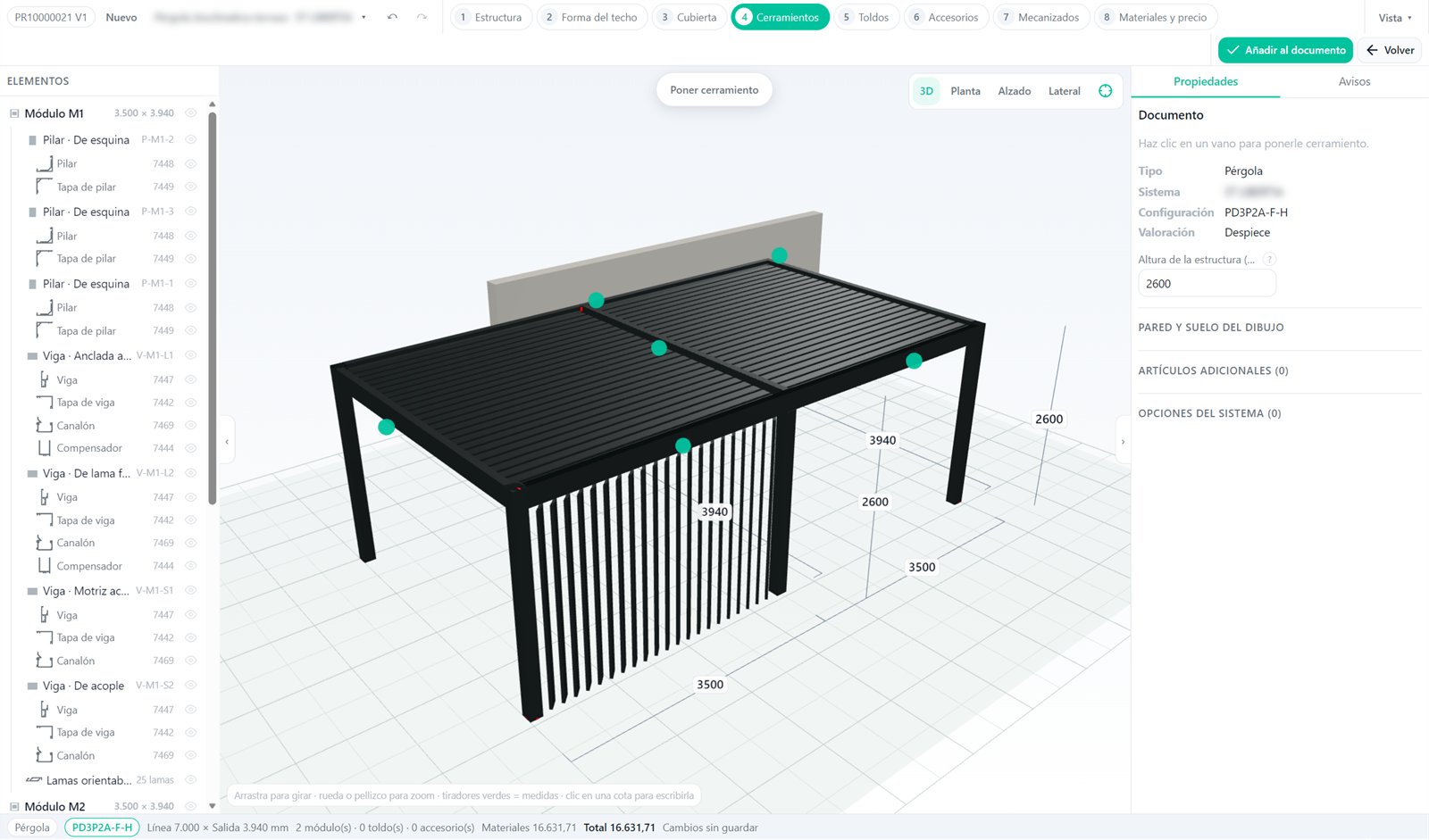
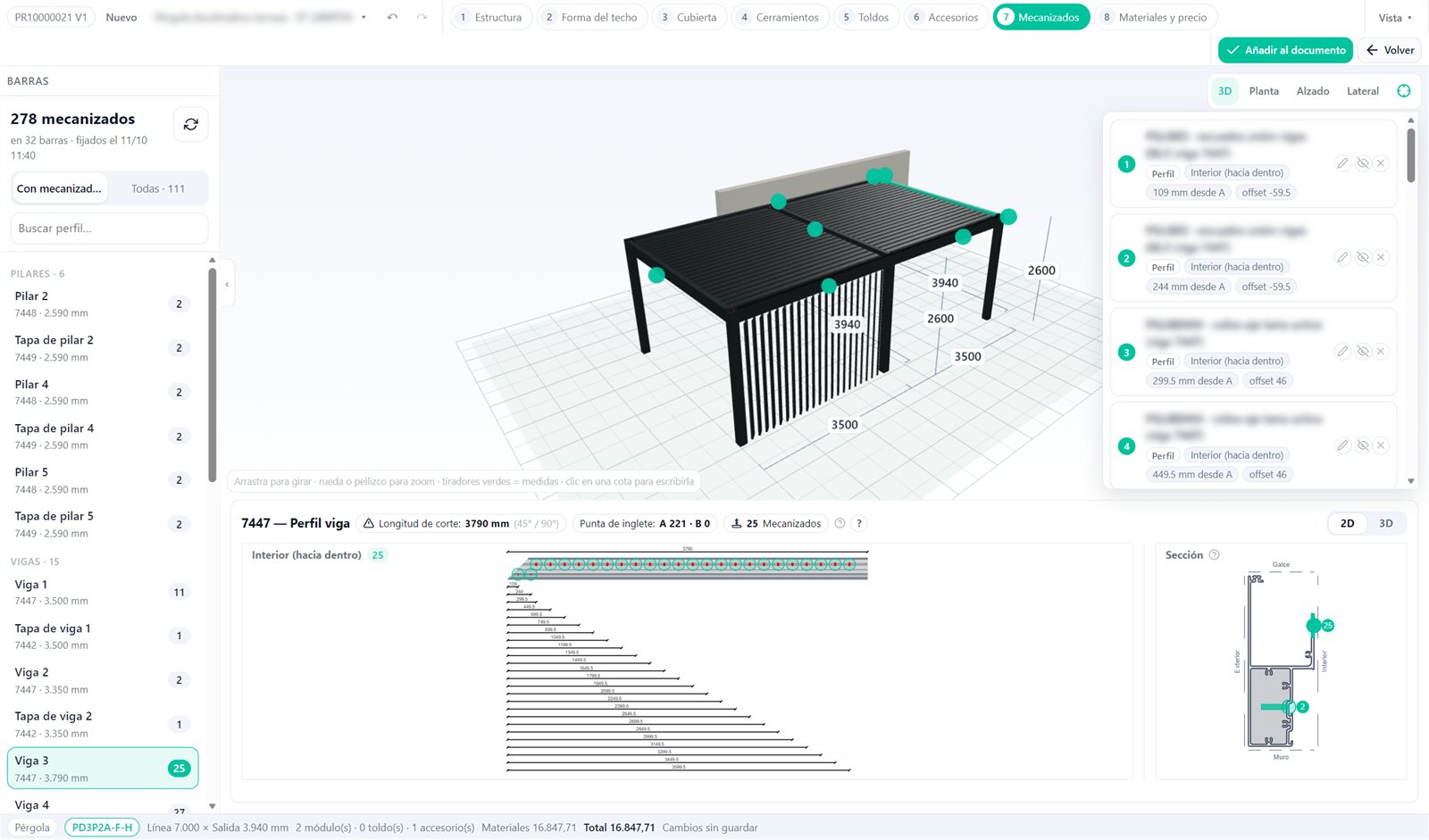
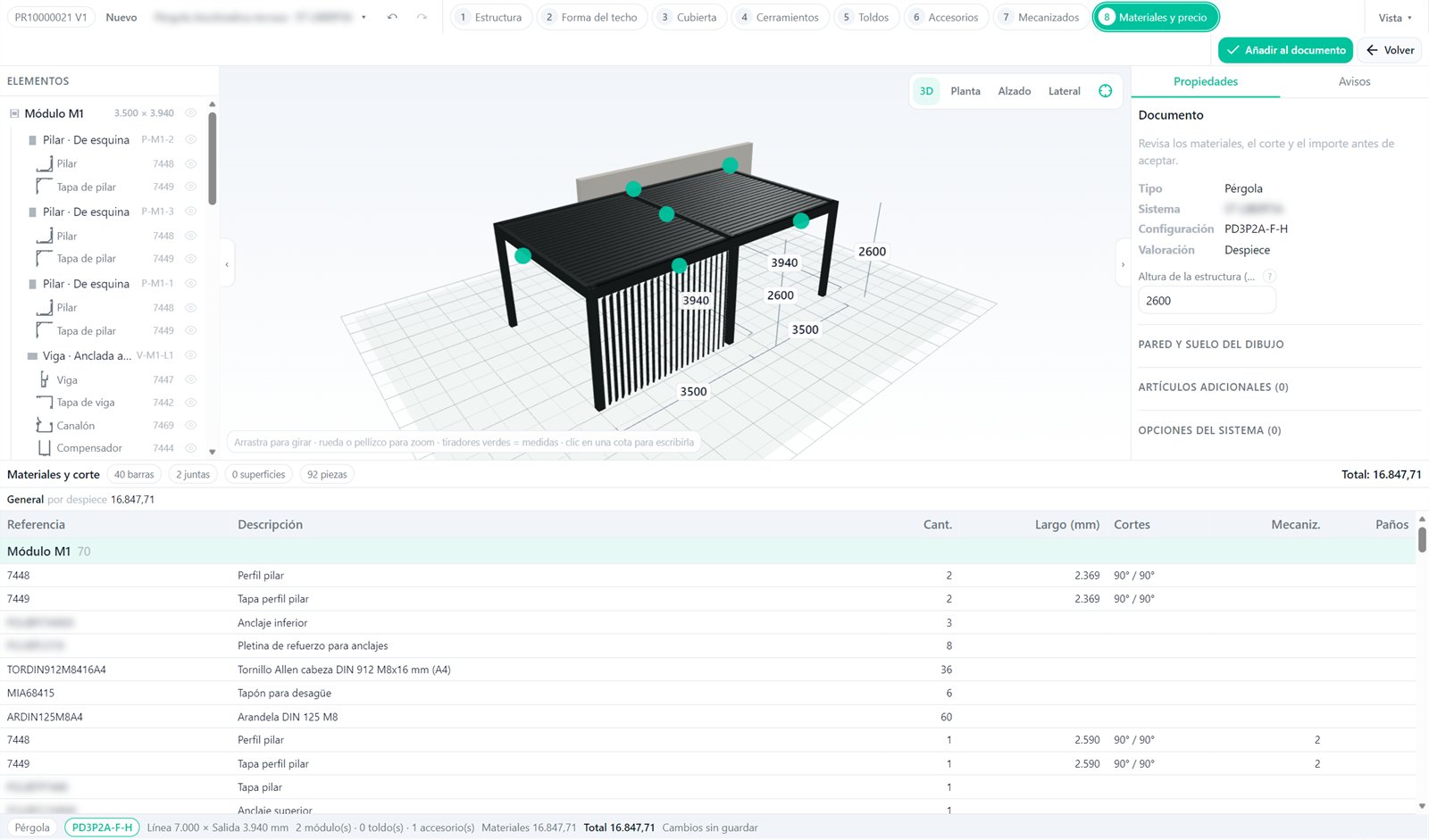
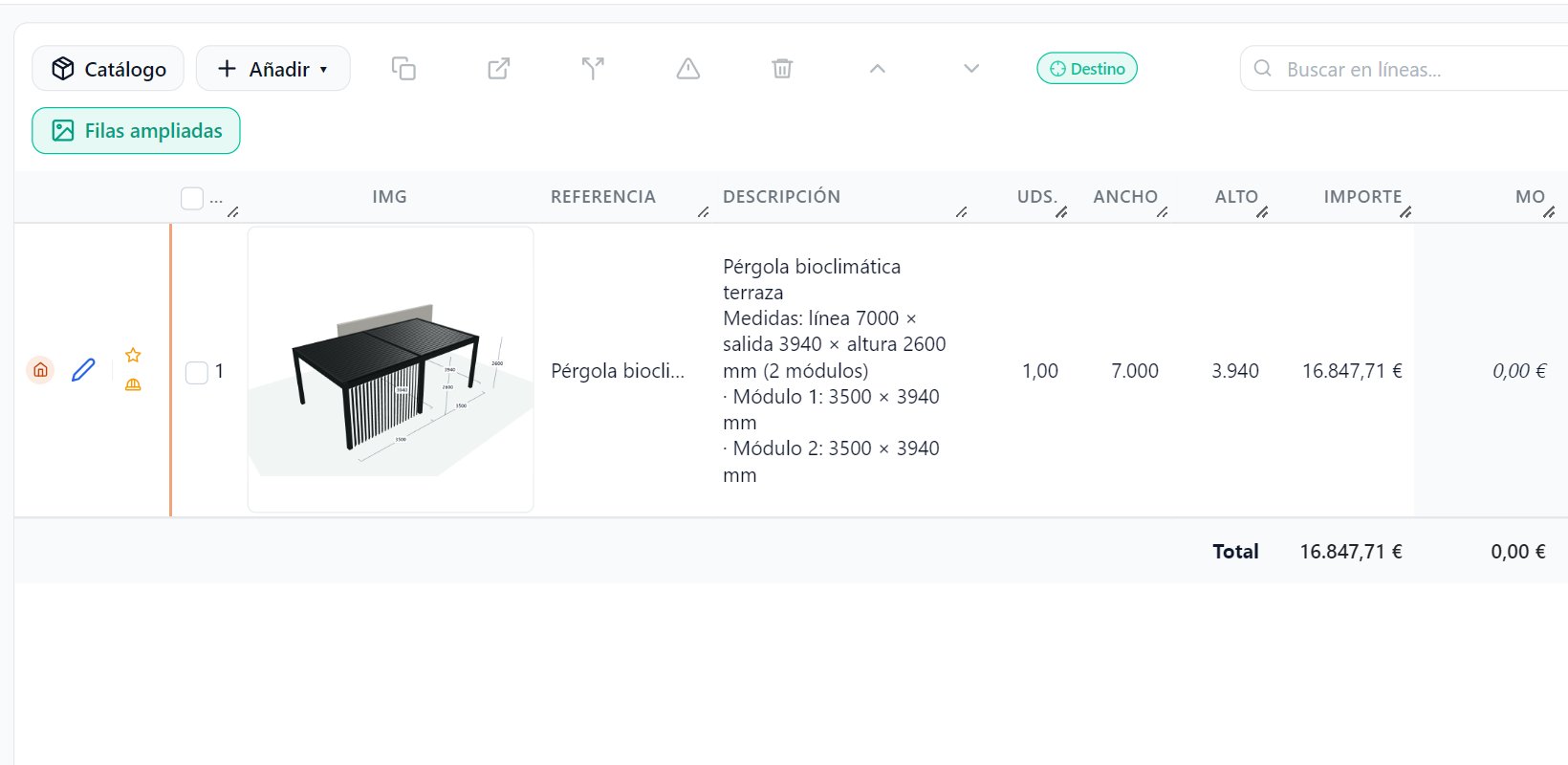
It is the solar shading editor in Endades Nexus: pergolas and awnings in 3D with the manufacturer's catalogue, with the bill of materials, machining and price calculated live, inside the same quote as the windows.
Yes. Nexus Shade is an optional module of Endades Nexus, in the Pro and Infinity editions. It is not sold separately from Nexus. See the editions.
With your manufacturer's. Each system is set up once: articles, bill-of-materials rules, machining, limits and price lists. Nothing is hard-coded into the software.
Yes. Each bay can take a window or a sliding door from the Nexus window configurator, vertical louvres, a screen or a fixed panel.
From the bill of materials with the document's price list, from a width × projection price table with its surcharges, or a mix of both. Accessory packs carry their own price.
One production frame per pergola module and per awning, the bars sent to the cutting optimiser and the machining set in the design, on the work order and on the cutting sheets.
Yes, with Nexus AI (Infinity edition): describe the pergola or awning, or start from a template or a photo, and the assistant prepares the draft. You always confirm the dimensions yourself.
Yes. With “Animate”, the louvres turn, the fabric retracts and the screen comes down in the 3D view, and the quote line carries the image of the pergola.
Walk the complete flow yourself: 21 guided steps over real screenshots, from the empty quote line to the priced pergola, ready for the workshop.
Leave us your contact details and go straight in. In return we'll send you, from time to time, news about Nexus Shade and Endades Nexus — you can unsubscribe at any time.